.png)
Spring is here, and with it comes one of the best opportunities of the year for Canadian businesses. The roads are clearing up, travel is picking up, and your team finally has the chance to get in front of clients they have been chasing all winter. Trade shows are back on the calendar. Site visits are happening. Sales reps are booking meetings outside their usual territory, and that momentum should not be slowed down by a phone system tethered to a desk.
For Canadian businesses ready to push harder in 2026, Advanced UC Softphone App delivers a smarter, more agile way to communicate, without sacrificing the professional power of a full business phone system.
What Is Advanced UC Softphone App
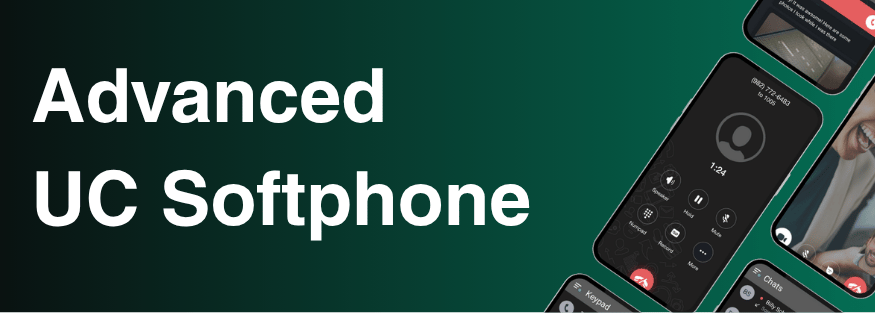
At its core, the Advanced UC Softphone App is a feature-rich software-based phone that lives on your mobile device or desktop computer. It is a SIP soft client that extends functionality beyond the landline or desktop, bringing the features of the Hosted PBX platform directly to users' mobile devices as a complete Unified Communications solution.
Think of it as your entire office phone system, reimagined for the devices your team already uses every day. Whether your staff are working remotely, traveling across the province, or managing a busy front desk back at the office, the Advanced UC Softphone App keeps everyone connected under one unified platform. It is available on both Android and iOS mobile devices, as well as Windows and macOS desktop computers, ensuring no team member is left behind regardless of where Spring takes them.
Why Businesses Need This App In Their Everyday Operations
1. Stay Reachable Wherever Work Takes You

Spring is prime time for getting out of the office and in front of new business. But with that opportunity comes a familiar problem: communication fragmentation. When your team is on the move, calls get missed, customers get frustrated, and deals that were almost closed start cooling off.
With the Advanced UC Softphone, users maintain the same professional identity whether they are calling from a hotel lobby in Edmonton, a parking lot in Kelowna, or a coffee shop between client meetings.
A sales rep can start a call on their laptop before leaving the office and pick it up seamlessly on their mobile device once they are on the road. Whether they are connecting from a hotel conference room, a client’s office, or a trade show floor, the app works behind any firewall over a standard HTTPS connection, so there is no VPN to set up and no network restrictions to work around. Every call and message is encrypted by default, keeping client conversations private no matter where the workday takes them. And because the app registers as a single connection on your Cloud PBX regardless of how many devices a user is logged into, your IT team is not managing a tangle of separate registrations. One user, one extension, every device, all working together without the complexity.
2. One App, Every Communication Channel

When your team is out working new territory, they cannot afford to juggle separate apps for calls, messages, and contacts. The Advanced UC Softphone App brings everything into a single, intuitive experience.
Users can manage contacts, voicemail, call history, and configurations in one place, including answering rules, greetings, and presence settings. Beyond calls, team members can message colleagues directly through Personal or Group chats, share files, photos, locations, and voice messages, all within the same platform.
SMS is also built directly into the app, though it is a billable add-on that must be enabled for each user through the Manager Portal. Once activated, your team can send and receive text messages to and from external contacts without switching to a personal phone or a separate messaging tool. For a field rep following up with a prospect after a trade show, or confirming a meeting time with a client on the road, being able to send a professional SMS from your business number within the same app you use for calls keeps everything in one place and keeps your personal number private.
For a rep navigating a full day of client meetings across a new city, that kind of streamlined communication is not a convenience. It is a competitive edge.
3. Real-Time Presence: Know Who Is Available Before You Call

Spring business development means more moving parts. Your closer might be in a meeting. Your technical lead might be on another call. Tracking down the right person at the right moment costs time your team does not have.
The Advanced UC Softphone App eliminates that friction with built-in presence status. The Contacts tab displays all team members in the My Team section along with their current availability, so anyone on the road can instantly see who is free, who is busy, and who to loop in without firing off three unanswered messages first.
4. Powerful Call Management Built for Business

The Advanced UC Softphone App is not just about making and receiving calls. It comes equipped with the professional call handling features that growing, outward-facing teams depend on.
The Call Parking feature lets users hold a call from one extension or device and pick it up from another, a real advantage for front desk staff managing incoming volume while field reps are out generating new ones.
Call recordings sync automatically across all devices, so a rep who records a client conversation from their phone on the road can review it later on their desktop. For teams moving fast and pitching new accounts this Spring, accurate records of those conversations are essential.
The app's call history and call detail features also help teams stay organized and follow up with precision, because when you are running a full slate of outside meetings, the details of every conversation matter.
Getting Started: Access Through Your Cloud PBX
To take advantage of all these features, users must first have access to your Cloud PBX through the Manager Portal. Administrators activate the app by navigating to the Phone Tab in the Manager Portal for the user they want to activate and selecting Activate Advanced Softphone. The Success screen will then load with the user's access details, which are sent directly to the user via email.
Once the user receives the email, they can log in by manually entering their authentication credentials or by scanning the QR code included in the activation email. Advanced UC Softphone credentials are unique and separate from portal credentials, keeping security clean and role-specific. Once activated, users are up and running on both mobile and desktop within minutes.
Download the App and Hit the Ground Running
Your team is ready to move. Make sure their phone system is too. The Advanced UC Softphone App is available now on both major mobile platforms. Download it today and be ready for every call, every meeting, and every opportunity this Spring brings.
📱 Download on the App Store — for iPhone and iPad users
🤖 Get it on Google Play — for Android users
💻 Download for Windows - for Windows users
🍎 Download for macOS - for macOS users
Already a UnitedCloud customer? Contact your administrator to get your activation email and you will be up and running in minutes.
Experience the Difference Today
The season is short and the opportunity is real. Businesses that move quickly, show up in person, and stay reachable while doing it are the ones that come out of Q2 with stronger pipelines and new accounts that competitors missed. Advanced UC Softphone App gives your team the professional communication infrastructure to go further, work harder, and never let distance become a reason to lose a deal.
Whether you run a growing professional services firm, a multi-location operation, or a fast-moving team ready to expand into new markets, this Spring is the time to remove the communication bottlenecks holding you back.

.png)


.png)